
Key Takeaways
- Start tool selection from the study you must defend next, then add fidelity only where project risk is highest.
- Use planning and yield tools to lock assumptions, then validate electrical and control behavior with grid study and transient simulators.
- Keep models portable and auditable with clear data inputs, repeatable scenario runs, and a toolchain your team can maintain.
You can pick the right simulation tool faster when you tie it to the study you must finish.
Renewable capacity additions reached 473 GW in 2023, so interconnection studies, storage sizing, and controls validation now happen on tighter schedules and with less tolerance for rework. The tool you choose will shape what you can trust, what you can automate, and how quickly your team can defend results.
Some renewable energy simulation software is built for energy yield and finance, some for distribution power flow, and some for switching transients and controls. Treat the selection as a chain of tasks, not a single purchase, and you’ll avoid mismatched fidelity and wasted model rebuilds.
Start with your renewable project use case and constraints
Define the decision the model must support, the time scale that matters, and the data you actually have. A feasibility model needs hourly energy and economics, while protection and inverter tuning need subcycle electrical detail. One concrete way to scope it is a solar plus battery microgrid that must keep a remote facility online during feeder outages and limit diesel runtime. That single statement already sets the load profile, dispatch logic, and power quality checks your tool must handle.
“The tool you choose will shape what you can trust, what you can automate, and how quickly your team can defend results.”
Criteria that separate strong energy simulation tools from weak ones
Pick energy simulation tools that match grid study requirements and the proof you must show to reviewers. U.S. interconnection queues held 2,600 GW of generation and storage at the end of 2023, so screening studies and detailed models must move cleanly from planning to validation. A strong tool will also fit your team’s workflow and audit needs.
- Time resolution fits your question from hours to microseconds
- Model libraries cover inverters, storage, and protection logic
- Import and export match your data and file formats
- Batch runs and scripting support sensitivity and scenario work
- Results are explainable with reports reviewers can follow
Top 10 energy simulation tools for renewable projects

These 10 tools cover the most common renewable project paths, from yield and technoeconomics to steady-state power flow, electromagnetic transients, and controls validation. Each one fits a different slice of the lifecycle, so the best choice depends on what you must prove next, not what you might study later.
1. NREL System Advisor Model SAM
SAM is a practical starting point for PV, wind, and hybrid plant performance and financial modeling. It links resource data, system design assumptions, and loss factors to energy yield and cash flow outputs. Teams use it to compare configurations and understand which assumptions move project value. It is not meant for feeder voltage or switching transient detail. Treat its outputs as planning-grade inputs to grid studies.
2. HOMER Pro
HOMER Pro focuses on microgrid architecture and dispatch optimization across many technology combinations. It is strong when you need to screen diesel, PV, wind, and storage mixes under fuel price and load uncertainty. You can quantify cost, reliability proxies, and operating schedules without building a detailed electrical network. It will not replace protective device coordination or fast inverter dynamics checks. Use it early to narrow options.
3. PVSyst
PVSyst is widely used for PV energy yield, shading, and loss modeling with bankable reporting workflows. It helps you test layout choices, module and inverter selection, and performance ratio assumptions. The strength is detailed PV-specific loss breakdowns that are easy to defend. It does not simulate grid faults or control loops. Pair it with electrical study tools when interconnection limits matter.
4. DIgSILENT PowerFactory
PowerFactory is a power system analysis platform for steady-state, dynamics, and protection studies. It is used for transmission and distribution planning tasks such as load flow, short circuit, and dynamic stability. For renewable plants, it supports grid code checks and voltage control behaviour at a system level. Model quality depends on your inverter representations and parameters. Plan time for validation and model governance.
5. PSCAD
PSCAD is built for electromagnetic transient simulation, so it shines for fast switching events and converter interactions. It is a strong fit for fault ride-through, harmonics and filtering, and control behaviour during disturbances. You can study phenomena that RMS tools smooth over, but you pay with model build effort and compute time. Results are only as good as the device models you use. Keep test cases tight and well scoped.
6. ETAP
ETAP is often selected for industrial power system design and operational studies. It supports load flow, short circuit, arc flash, and protection coordination workflows that matter for renewable plants connected to facility distribution. It is useful when you must align design studies with safety and compliance deliverables. It is less focused on converter-level EMT detail. Use it to harden the electrical design before controls deep dives.
7. OpenDSS
OpenDSS is a flexible distribution system simulator well suited to hosting capacity and voltage regulation studies. It handles time-series power flow, DER impacts, and feeder-level scenarios with scripting and automation options. Many teams like it for fast iteration and custom studies. It is not an EMT tool and will not capture subcycle transients. Treat it as a strong option for utility-style distribution questions.
8. GridLAB-D
GridLAB-D supports distribution simulation with an emphasis on time-series behaviour and end-use load modelling. It is useful when loads, voltage devices, and DER behaviour need to be evaluated over long horizons. It can represent customer-side dynamics in ways pure electrical tools often skip. The learning curve can be higher, and results depend on careful configuration. Use it when load detail affects feeder conclusions.
9. MATLAB Simulink with Simscape Electrical
Simulink with Simscape Electrical is a strong choice for control development and plant-level dynamic modelling. It supports block-based design, control tuning, and co-simulation patterns that align with engineering workflows. You can move from algorithm design to executable models without switching mental models. Electrical fidelity depends on how you configure the network and power electronics blocks. Keep a clear boundary between control intent and grid study proof.
10. OPAL-RT HYPERSIM with RT-LAB
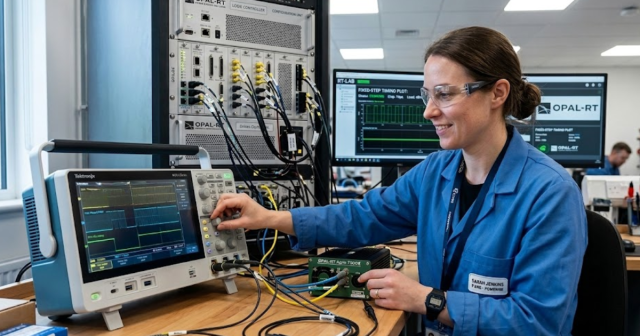
HYPERSIM with RT-LAB is geared toward real-time and faster-than-real-time power system simulation for controls and protection testing. It is a fit when you must run closed-loop tests with controller hardware, relays, or plant control code. You can validate timing, I/O behavior, and edge cases that offline studies often miss. Real-time execution adds constraints on model complexity and step size. Treat it as the bridge between models and lab validation.
| Tool you’ll run during project work | What it is best suited to settle |
| NREL System Advisor Model SAM | It estimates energy yield and project economics. |
| HOMER Pro | It compares microgrid mixes and dispatch costs. |
| PVSyst | It explains PV losses with bank-ready reports. |
| DIgSILENT PowerFactory | It supports grid studies and stability checks. |
| PSCAD | It captures fast transients and converter interactions. |
| ETAP | It aligns facility studies with protection workflows. |
| OpenDSS | It answers feeder voltage and hosting capacity. |
| GridLAB-D | It models time-series feeders with detailed loads. |
| MATLAB Simulink with Simscape Electrical | It supports control design and dynamic models. |
| OPAL-RT HYPERSIM with RT-LAB | It validates control hardware in real time. |
Match microgrid simulation software to planning and control needs
“Microgrid simulation software usually falls into two buckets: planning tools that optimize sizing and dispatch, and electrical tools that verify voltage, protection, and inverter behavior.”
Planning outputs should feed electrical studies as traceable assumptions, not as final proof. Controls teams then need models that include timing, measurement filtering, and fault logic. When these handoffs are clean, you’ll spend less time arguing about model intent and more time fixing issues.
Choose a toolset that fits fidelity budget and timeline

Start with the simplest model that answers the next approval gate, then add fidelity only where the decision risk is highest. Long runtimes, hard-to-audit assumptions, and proprietary model blocks will slow reviews and make handoffs brittle. Teams that do well keep a small set of tools and a clear model ownership process, then reuse validated blocks across projects. OPAL-RT fits best when your roadmap includes lab validation of controllers and protection in real time, not just offline studies.
Real-time solutions across every sector
Explore how OPAL-RT is transforming the world’s most advanced sectors.
Industry applications, Simulation
03 / 31 / 2026
Managing high-frequency switching in real-time EMT simulation
Precision in testing complex power systems is essential to avoid failures, accelerate innovation, and integrate new technologies safely.

Simulation
03 / 30 / 2026
Understanding timestep requirements for modern power converters
Practical criteria for selecting EMT and real time simulation timesteps for power converters, covering switching resolution, control and PWM timing alignment, multirate approaches, and verification checks.

Energy, Industry applications, Simulation
03 / 29 / 2026
Validating data center energy management systems using real-time HIL
This piece explains how AI workload variability affects data centre power stability and how closed-loop HIL testing helps validate EMS control behaviour under site and grid stress.
EXata CPS has been specifically designed for real-time performance to allow studies of cyberattacks on power systems through the Communication Network layer of any size and connecting to any number of equipment for HIL and PHIL simulations. This is a discrete event simulation toolkit that considers all the inherent physics-based properties that will affect how the network (either wired or wireless) behaves.