How to choose the best educational simulation software in 2026
Simulation
08 / 08 / 2026

Key Takeaways
- The best HIL lab software is defined by how quickly it gets students to a stable closed loop and how reliably that result repeats across sections.
- Courseware, prebuilt experiments, and reset paths matter because they standardize teaching practice and protect scarce bench time.
- Long term teaching value comes from model reuse, clear signal evidence, and access that supports preparation outside scheduled lab hours.
The best educational simulation software for a HIL lab is the option that gets students to a stable closed loop in the first hour and lets instructors repeat that result every session.
Software choice sets the pace of every lab, yet the strongest results come from routine rather than a long feature sheet. A HIL laboratory works well when students can wire, run, reset, and interpret signals without waiting for an expert at every step. Active learning in STEM courses raised exam scores by about 6% and lowered failure rates by 55%, which is a strong reminder that students need tools built for doing and checking. You’ll get the clearest result when you judge educational simulation software through the teaching pattern it supports, the recovery path it offers, and the time it saves for actual experimentation.
Time to first closed loop sets the software shortlist
The best software gets students to a working loop quickly, because early loop closure proves that the bench, model, and I/O path are all behaving as expected. You’ll teach more control theory and systems thinking when setup friction stays low and the first successful run happens before attention drops.
A first lab on a motor control bench makes the point clearly. Students should load a prepared plant, connect a controller, start the target, and confirm that a small speed step produces a readable response trace. That sequence should fit inside the first hour, even for a student who has never touched a HIL lab before. When it does, questions shift from cable hunting to gain tuning, saturation, and timing.
Long startup paths create a hidden tax on every session. If compilation, driver mapping, and licence checks eat half the lab, you will spend the term teaching recovery steps instead of system behaviour. Strong software shortens the path to first motion, flags missing I/O clearly, and keeps the first experiment small enough that students can succeed without hand holding.
“The best software gets students to a working loop quickly, because early loop closure proves that the bench, model, and I/O path are all behaving as expected.”
A HIL laboratory runs on repeatable student workflows
A HIL laboratory runs well when every student bench follows the same startup and verification routine. Repeatable workflow matters more than instructor heroics because it keeps lab sections aligned, lowers confusion for teaching assistants, and makes troubleshooting teachable instead of mysterious.
The first hour deserves a standard script that students can execute without guessing. A practical pattern for every bench includes the same checkpoints each week:
- Open the prepared project and confirm the bench identifier.
- Map the required I/O and verify channel status.
- Start the target and confirm closed loop timing.
- Apply the first command step and capture the response.
- Save the trace with the team name and bench stamp.
That routine does more than keep people organized. It’s a baseline language for support, because a teaching assistant can ask which checkpoint failed and respond quickly. Students also gain a useful habit for later test work, where every bench run begins with identity, I/O, timing, command, and evidence. A software package that supports this rhythm with clear status cues and simple save logic will carry a HIL lab much further than a package packed with advanced features that few students ever reach.
Courseware support shapes how instructors structure each session
Courseware support matters because software shapes the order in which students think, test, and reflect. You need material that turns a bench session into a sequence with a defined start state, a visible target outcome, and a short post run check that confirms what the student actually learned.
A solid weekly lab often starts with a brief pre lab prompt, moves into a guided startup, asks for one controlled change, and ends with a short interpretation task. Students on a power electronics bench, for instance, might begin with a predicted response, run a step test, and compare measured overshoot against the prediction before touching any advanced settings. Software that arrives with ready teaching paths makes that structure easier to maintain across multiple sections.
Good courseware also sets the pace of complexity. Early labs should constrain the options on screen so students focus on signal meaning, not menu hunting. Later sessions can expose fault injection, timing changes, or alternative controllers after the routine is stable. When educational simulation software supports that kind of staged release, you’ll spend less time writing scaffolding around the tool and more time refining the course itself.
Prebuilt experiments reduce setup drift across lab sections
Prebuilt experiments reduce drift because they give each section the same starting point, the same expected signals, and the same reset path. That consistency protects course quality when several teaching assistants run the same HIL lab across different rooms or different times of day.
Setup drift appears quietly. One assistant tweaks a sampling value to fix a late start, another renames channels for clarity, and a third saves over the reference file after a rough session. Two weeks later, students in different sections are answering slightly different questions without knowing it. Prebuilt experiments stop that slide when each bench begins from a locked baseline and the editable space is limited to the learning objective.
That’s why software paired with courseware and prebuilt experiments fits academic use so well. OPAL-RT provides a practical example of that teaching pattern, where instructors can adopt guided experiments early instead of writing every lab from scratch. The main gain is consistent execution. Students meet the same signals, the same expected plots, and the same recovery steps each time, which makes your HIL laboratory easier to run and easier to grade fairly.
| Selection checkpoint | What the checkpoint tells you about teaching fit |
| Students can close the first loop within one hour. | This shows the software supports teaching time instead of consuming the session with setup delay. |
| Every bench can return to a known state in a few minutes. | This keeps sections aligned and protects scarce lab hours after errors or rough shutdowns. |
| Faculty can reuse existing models with minor edits. | This preserves years of teaching effort and keeps the course focused on system behaviour. |
| Students can see timing, faults, and I/O status clearly. | This makes troubleshooting teachable and gives you evidence that supports consistent grading. |
| Guided experiments come with a clear start state and end check. | This reduces variation across sections and helps new instructors adopt proven lab routines quickly. |
Model compatibility decides if faculty can teach existing systems

Model compatibility decides how much of your current teaching material survives the software switch. A strong platform will accept the controller and plant models your faculty already use, preserve timing behaviour well enough for instruction, and avoid a semester of painful model rewrites before students ever see the lab.
Most courses already have working intellectual property in the lab notes, even if nobody calls it that. A controls instructor may have a mature inverter model, a flight controls team may rely on a validated actuator setup, and an automotive course may use established fault cases that have been refined for years. If the new software forces those assets through a fragile conversion path, the selection cost will show up as cancelled exercises and rushed substitutions.
You shouldn’t make any short list final before testing compatibility with one representative exercise. Pick a model that uses the same signal rates, nonlinear elements, and safety checks that the course actually needs. Perfect parity in every corner case is unnecessary. The goal is a teaching fit that preserves the meaning of the experiment and keeps faculty effort focused on instruction instead of technical porting.
Reset workflows keep the laboratory usable during every session
Reset workflows keep a HIL lab usable because mistakes happen in every section and recovery time always comes out of teaching time. Good educational software gives you a clear path back to a known state after a bad parameter entry, a loose cable, or a model that enters an unstable operating region.
A common failure case is easy to picture. One team swaps an analogue channel, sees impossible feedback, and keeps increasing gain until the response becomes erratic. If the bench needs a deep manual rebuild after that, the rest of the class waits while one error consumes shared time. Fast reset tools, locked reference projects, and visible health checks keep the session moving and stop small mistakes from becoming schedule problems.
You should also judge how the software supports the staff side of reset. Teaching assistants need a simple way to restore the last approved image, confirm I/O mapping, and reopen the standard exercise without hidden steps. Managing a hardware-in-the-loop lab gets much easier when recovery is part of the platform design rather than a private notebook passed between staff members.
Signal visibility improves grading in a hardware-in-the-loop lab
Signal visibility improves grading because it turns student performance into evidence rather than impression. The right software shows commanded inputs, measured outputs, timing behaviour, and fault states clearly enough that you can assess what happened on the bench without relying on guesswork or vague lab reports.
A strong grading workflow uses traces, events, and saved settings. Students might run a current control exercise, submit a plot that shows rise time and overshoot, and explain why a limit was hit during the step response. When the software logs those signals with timestamps and stable naming, you can compare one team’s work to another without wondering if the screenshots came from different signal definitions.
Visibility also improves teaching quality during the session itself. A student who sees an actuator saturate, a fault flag latch, or a timing overrun appear on screen can connect cause and effect quickly. That immediate clarity supports better feedback, and good feedback matters in education. When the software hides internal state, students often leave with a completed worksheet and a weak grasp of what the loop actually did.
License access shapes student practice beyond scheduled lab hours
License access shapes learning because students need some way to prepare, review, and repeat outside the booked lab slot. The best educational simulation software extends the teaching routine beyond the room through accessible practice views, replay options, or simplified off bench runs that reinforce the same experiment logic.
Off hour practice is now a normal expectation, and 67% of the global population used the internet in 2023, so a HIL lab that locks every exercise to one room and one timeslot wastes student preparation time. A student should be able to review captured traces at home, rerun a simplified version of the plant, or study the same I/O mapping before the next session. That access turns scarce bench hours into high value hours.
Final software choice should reflect the teaching habits you want your HIL laboratory to build over time. You’re looking for a platform that standardizes the first hour, protects section consistency, preserves existing models, and keeps evidence visible when grading gets difficult. OPAL-RT fits naturally into that view because its courseware and prebuilt experiments support disciplined lab operation from day one. Labs that run well do not depend on rare staff heroics. They depend on software that makes good teaching routines easy to repeat.
“Labs that run well do not depend on rare staff heroics.”
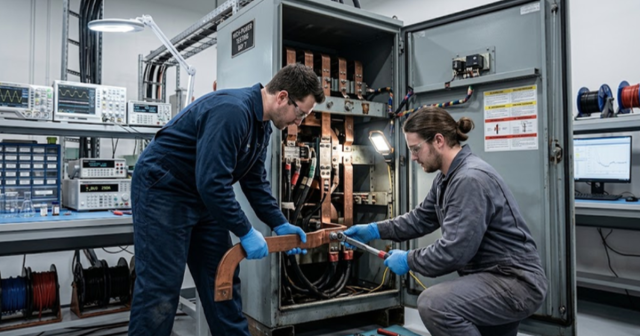
Microgrid
09 / 19 / 2026
Hybrid AC-DC microgrid emulation with power hardware-in-the-loop
An examination of how hybrid AC-DC microgrid stability is set at the interlinking converter and why power hardware in the loop is required to test that boundary at full power.

Power Electronics
09 / 17 / 2026
BLDC motor control fundamentals with simulation examples
A technical primer on six step BLDC commutation, Hall sensor and sensorless back EMF position sensing, torque ripple at each switching instant, and the simulation exercises a teaching lab can run.
Power Systems
09 / 16 / 2026
How to build a protection relay testing workflow utility engineers trust
A practical look at how utility engineers build protection relay testing workflows, from secondary injection through closed loop validation against a real time power system model.