
Key Takeaways
- Educational simulation software earns its place when students can run a meaningful model in the first session and connect their actions to system behaviour right away.
- Ready examples, low setup friction, and good toolchain fit matter more in teaching than long feature lists because they protect hands on class time.
- The best engineering simulation software for teaching gives you a clear path from early modelling to later hardware work without forcing a new workflow each term.
You build hardware skills fastest when students can run a meaningful model in the first session.
That standard matters more now because many courses no longer assume fixed lab access. Distance education rose from 36.3% of postsecondary enrolments in 2019 to 75.9% in 2020, which forced more engineering teams to rethink how practical work starts. Educational simulation software earns its place when it puts a converter, motor controller, or protection scheme in front of a student right away. Engineering simulation software that takes weeks to configure teaches patience instead of systems thinking.
First session success is a practical software benchmark
The first session tells you if software belongs in a hardware course. Students should open the model, run it, change a parameter, and see a system response within one class. That sequence proves the tool is teachable. It also shows the model has enough substance for later work.
A power electronics class can start with a direct current converter model, a plotted output waveform, and a simple control gain to adjust. Students see ripple shift, switching behaviour move, and efficiency tradeoffs appear on screen within minutes. That kind of start feels like engineering because action and result stay close. If students can’t get there quickly, the software is still in setup mode.
This benchmark also helps you compare tools without relying on feature sheets. A platform with dozens of solvers and libraries still fails the classroom test if the first useful run takes an hour of troubleshooting. First session success keeps the focus on learning flow. It gives instructors a concrete standard for choosing software that supports hardware judgement from the start.
“The first session tells you if software belongs in a hardware course.”
Ready-to-run examples shorten time to learning
Ready-to-run examples shorten the path from orientation to useful work. Students need a starting point that already behaves like a system instead of an empty project window. A working example lowers cognitive load. It frees class time for analysis, tuning, and questions that matter.
A controls class gains more from a ready motor speed model than from a fresh file with empty blocks. Students can apply a disturbance, tune proportional and integral values, and explain why overshoot appears. The example becomes a shared reference for the whole class. Marking also gets simpler because everyone begins from the same baseline.
Execution matters here. OPAL-RT pairs educational simulation software with ready to run examples, so instructors spend class time on converter behaviour, control logic, and fault response instead of file paths and solver settings. That practical starting point protects the first week of a course. Students reach meaningful work sooner, and teachers spend less time acting as software support.
Model fidelity should match the course learning objective
Model fidelity should match what the course is trying to teach. A first course needs clarity in system response, signal flow, and parameter effects. A senior project needs tighter timing and stronger physical detail. Good engineering simulation software gives you enough range to support both stages.
An introductory power systems class uses a simplified feeder model that highlights voltage drop and relay action without modelling every switching event. A capstone team building converter controls needs finer timing detail because gate signals, delays, and saturation matter to the result. Both are valid teaching uses. Each asks for a different level of model detail.
Software selection gets easier once you anchor fidelity to the learning objective. If the lesson is control stability, the tool should make loop behaviour easy to inspect. If the lesson is hardware timing, execution speed and signal detail move higher on the list. Students learn faster when the model shows the important physics without burying the concept under needless complexity.
Setup time strongly shapes classroom software adoption
Setup time determines if software will survive past a trial term. When account creation, licence checks, and solver tuning consume the first classes, faculty simplify the course around slides. Students lose iteration time. The software becomes a burden instead of a teaching aid.
A common failure looks small at first. A class spends 40 minutes fixing permissions, another 20 minutes locating missing files, and the remaining time watching one working demo on a projector. Students leave with screenshots instead of results they produced themselves. That pattern repeats across the term and quietly lowers the value of the whole course.
A meta analysis of 225 STEM studies found students in lecture courses were 1.5 times more likely to fail than students in active learning classes. That gap matters here because setup friction steals the hands on time that makes simulation software for teaching worth using. Clean installs, stable examples, and predictable runtimes protect the hours where students test ideas and correct mistakes. If you want stronger outcomes, protect the time students spend doing the work.
Toolchain fit reduces friction across teaching workflows
Toolchain fit decides how much extra work a course team carries every week. Software should import common models, support normal coding habits, and run on campus machines without special handling. Students shouldn’t fight file conversions every lab. Instructors shouldn’t rebuild teaching material each term.
A mechatronics course rarely uses one tool in isolation. Students write controller logic, move data into reports, share files through a course site, and submit results under tight timing. If the simulation package resists those normal steps, every lab grows an administrative tail. The problem isn’t complexity in the engineering. The problem is friction in the teaching workflow.
- Students can open projects on standard lab and laptop setups.
- Import and export steps stay clear across the full course.
- File versions remain stable across terms and teaching assistants.
- Results are easy to plot, save, and submit for marking.
- Error messages point to fixes students can handle themselves.
These checks sound basic, yet they decide if a tool feels usable after week 3. Software that fits your teaching workflow reduces support tickets and preserves class rhythm. Students also gain a better sense of professional practice because their work moves through a consistent chain. When the toolchain behaves well, the course can focus on design choices instead of housekeeping.
Hardware pathways should exist before lab equipment arrives

Software should open a path toward hardware long before the lab bench is ready. Students need to see how a model will connect to sensors, controllers, and timing constraints later. That path builds hardware intuition early. It keeps software work tied to physical behaviour instead of abstract diagrams.
A controls group can start with a simulated inverter and controller, then add signal limits, sample times, and fault cases that mirror bench work. Students begin to ask better hardware questions because the model exposes timing, noise sensitivity, and protection logic before any cable is connected. That preparation reduces confusion once equipment finally appears. It also makes lab hours more productive because the system behaviour is already familiar.
| Early software checkpoint | What students understand before hardware arrives |
| Parameter changes affect waveforms in visible ways | Students link component values to measurable system response. |
| Control gains can be tuned against a clear target | Students practise stability and transient tradeoffs before touching equipment. |
| Fault cases can be triggered safely in simulation | Students see protection logic as part of the design process before cleanup ever becomes a concern. |
| Timing limits appear in model execution and outputs | Students start thinking about sampling and delay as hardware issues. |
| Input and output signals map cleanly to later interfaces | Students carry a mental model from simulation into bench work. |
Poor software fit stalls courses before students build anything
Poor software fit stalls a course long before students assemble a circuit or tune a controller. The warning signs show up in week 1 through missing permissions, brittle examples, and unclear outputs. Students lose confidence quickly. Faculty then cut scope to keep the term moving.
A class on protection systems can lose momentum when every assignment depends on a teaching assistant to repair file paths. Students stop testing relay settings because they aren’t sure if a bad output comes from their logic or the software state. That uncertainty weakens engineering judgement. It trains caution where the course should train iteration.
You can catch this early with a simple rule. If a student can’t repeat a demo alone after watching it once, the course has a software fit problem. If an instructor can’t reset a lab exercise in minutes, the teaching load will climb all term. Good tools support repeatable work. Weak tools turn routine labs into recovery sessions.
Course growth requires software that scales with complexity
Course growth depends on software that supports more complex work without forcing a full restart each term. Students should keep building on familiar models, methods, and outputs as they move from fundamentals to advanced labs. That continuity strengthens judgement. It also preserves teaching material you’ve already refined.
You see the difference when a student starts with a power supply model in term 1, adds controller code in term 2, and reaches closed loop testing with an external controller in a capstone project. Each step reuses prior understanding. Each class adds technical depth without a new mental reset. Students gain confidence because progress feels earned.
Courses that respect first session access usually produce stronger hardware instincts over time. OPAL-RT fits that path when instructors want educational simulation software that starts with ready examples and leaves room for deeper execution later. The main judgment is simple. Students build hardware judgement when software lets them run, adjust, test, and repeat from the first class onward.
“Students build hardware judgement when software lets them run, adjust, test, and repeat from the first class onward.”
Microgrid
09 / 19 / 2026
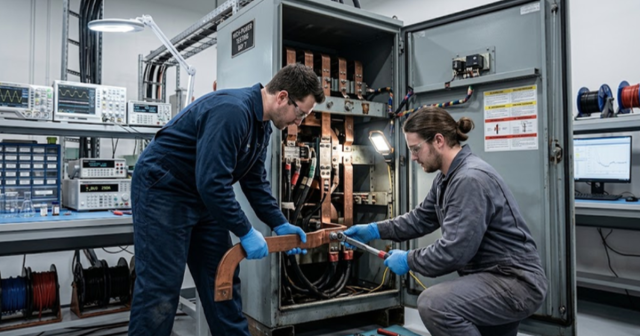
Hybrid AC-DC microgrid emulation with power hardware-in-the-loop
An examination of how hybrid AC-DC microgrid stability is set at the interlinking converter and why power hardware in the loop is required to test that boundary at full power.
Power Electronics
09 / 17 / 2026
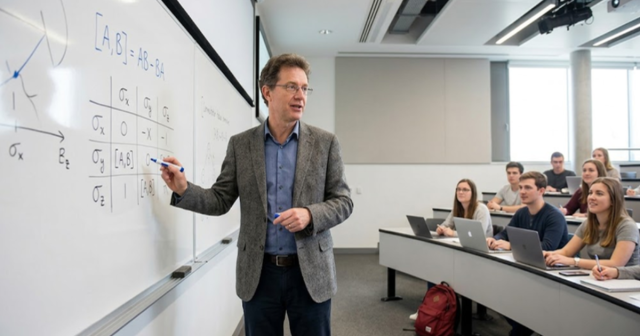
BLDC motor control fundamentals with simulation examples
A technical primer on six step BLDC commutation, Hall sensor and sensorless back EMF position sensing, torque ripple at each switching instant, and the simulation exercises a teaching lab can run.
Power Systems
09 / 16 / 2026
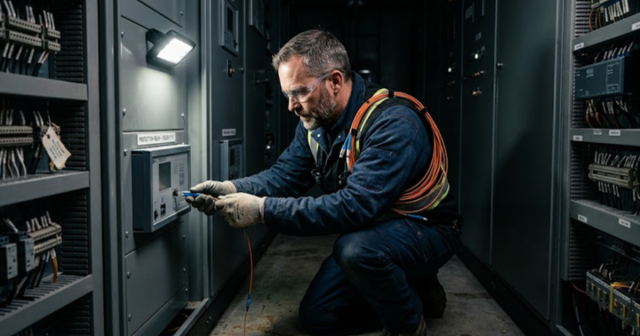
How to build a protection relay testing workflow utility engineers trust
A practical look at how utility engineers build protection relay testing workflows, from secondary injection through closed loop validation against a real time power system model.