
Key takeaways
- Building a detailed data center simulation model reduces design risk, improves performance planning, and increases operational confidence.
- Gathering accurate electrical, mechanical, and control data before modeling is critical for achieving realistic simulation results.
- Following structured data center simulation model steps—from defining objectives to refining results—creates reliable, repeatable outcomes.
- Common challenges such as missing data, calibration errors, and unrealistic workloads can be minimized with strong documentation and version control.
- OPAL-RT provides engineers with real-time, high-fidelity simulation solutions that accelerate validation and strengthen technical assurance.
You can cut months from facility planning when your simulation mirrors how racks heat, draw power, and affect airflow. Teams that test ideas virtually avoid costly surprises during buildout, commissioning, and expansion. A precise model turns capacity planning from guesswork into engineering. Your stakeholders see measured outcomes, not rough estimates or opinions.
Data centre teams already juggle uptime targets, energy costs, and strict compliance. A simulation that reflects electrical, mechanical, and control behaviour gives you a safe place to test changes without touching production. You can check failure responses, stress loads, and automation logic before you spend capital. That confidence flows into cleaner handoffs across design, operations, and leadership.
Why building a data center simulation model matters

A modern data centre is a network of interdependent systems that must align under all operating conditions. Power distribution, cooling, structural limits, and controls work as a single whole, and each change affects the others. A simulation model lets you test upgrades, setpoints, and layouts under peak and off‑peak conditions without risk to production. Results inform project scope, improve maintenance planning, and reduce commissioning time.
Resilience improves when you study failure paths before they happen. Engineers can test how a utility outage, generator issue, or CRAH fan fault cascades through the facility. You can evaluate ride‑through times, energy storage sizing, and cooling headroom while adjusting controls in software. That means fewer surprises, better incident response, and stronger compliance reporting.
A precise model turns capacity planning from guesswork into engineering.
Key inputs you need before starting your model
A useful model starts with the right data and assumptions. Gather architectural drawings, rack elevations, cable trays, cold and hot aisle layouts, and containment details. Collect electrical single‑line diagrams, breaker settings, UPS efficiency curves, generator data sheets, and transfer logic. For mechanical systems, assemble chiller performance maps, CRAH/CRAC fan curves, coil specifications, valve characteristics, and setpoint strategies.
Operational data is equally important. Export telemetry from building management, power monitoring, and data collection systems with timestamps and units. Capture server power profiles by rack, typical workload shapes, and any planned migrations. Define failure scenarios, maintenance windows, and utility constraints that the model must cover. With these inputs set, your model can reflect both design intent and day‑to‑day behaviour.
Steps to create a data center simulation model
A rigorous method helps teams move from first concept to trustworthy results. Clear scope, consistent data, and repeatable validation all matter when accuracy drives decisions. Toolchain choices should support the physics you care about, the time steps you need, and the integrations required for hardware testing. Teams that document each stage find it easier to share results, review assumptions, and improve fidelity over time.
1) Define simulation objectives and requirements
Clarity at the start prevents rework later. Decide which outcomes matter most, such as cooling headroom, power quality, or transfer timing. Set accuracy targets, time resolution, and acceptable model error for each objective. Identify stakeholders, sign‑off criteria, and reporting formats that will guide design reviews.
For teams searching “how to create data center simulation model,” objectives link directly to scope. If the goal is to verify failover timing, you need detailed switchgear and control logic. If the goal is energy cost forecasting, you need tariff structures, seasonal effects, and load profiles. Document these choices so your data centre simulation remains aligned with the decisions it must support.
2) Build the digital model
Translate drawings and schematics into a modular representation of your facility. Segment the model into power, cooling, structure, controls, and workloads, with clear interfaces between them. Use parameter libraries for transformers, UPS units, PDUs, chillers, pumps, and fans so each component can be swapped without refactoring. Maintain naming standards for buses, breakers, racks, and sensors to keep the model readable.
Time resolution should match your objectives. Fast power phenomena require small time steps, while energy studies can use longer steps. Choose solvers that handle stiffness and nonlinearity while meeting performance targets. Version control, model notes, and change logs keep work audited and shareable.
3) Populate with equipment and systems

Import performance curves, control logic, and protection settings from real equipment. Include transformer impedance, UPS efficiency as a function of loading, and detailed battery models for storage. For cooling, add fan curves, coil heat transfer, valve flow coefficients, and chiller performance maps across ambient conditions. Controls should include setpoints, deadbands, and sequences that reflect installed logic.
Workloads drive everything, so invest time in realistic rack and server profiles. Define typical, peak, and burst behaviour, plus placement across aisles and rows. Capture heat recirculation paths using containment and leakage assumptions that match your layout. This level of detail lets your data centre simulation reproduce thermal and electrical interactions faithfully.
4) Calibrate the model
A model that matches measurements earns trust. Compare simulated temperatures, pressures, voltages, and currents against telemetry from your facility. Align sensor locations and calibrate instrumentation offsets before judging error. Use baseline conditions first, then expand into varied loads and operating modes.
Apply systematic tuning rather than guesswork. Adjust parameters within manufacturer tolerances, then rerun tests to measure improvement. Track error metrics over defined windows and store them with each model version. A calibrated model accelerates approvals and supports consistent, reusable analyses.
A model that matches measurements earns trust.
5) Configure simulation scenarios
Scenario planning converts a static model into a decision tool. Write test cases that cover seasonal conditions, construction phases, equipment failures, and maintenance states. Include power events such as utility sags, harmonic distortion, and generator step loads if those risks matter to your site. For cooling, vary setpoints, pump speeds, and control sequences to probe comfort margins and energy cost.
Good coverage balances breadth with relevance. Prioritise cases that align with budget decisions, risk registers, and operational pain points. Document assumptions, acceptance thresholds, and data to collect from each run. These practices create repeatable data center simulation model steps that scale as your facility grows.
6) Run the simulation
Execution discipline protects the integrity of results. Fix model versions, input data sets, and solver configurations before launching batches. Align run lengths with the time horizons you care about, from sub‑second transients to seasonal energy studies. Automate runs and logging so you can compare scenarios cleanly.
Monitor resource usage and ensure that the model completes within acceptable time. Parallelise where possible, and break large cases into segments if needed. Track any solver warnings, convergence issues, or abnormal values, then correct root causes before trusting outputs. Clean runs reduce rework and keep schedules on track.
7) Analyze results and refine model

Interpretation matters as much as raw output. Start with your objectives and measure how each scenario performed against targets. Summarise key indicators such as cooling headroom, ride‑through time, breaker coordination margins, and energy cost. Highlight sensitivities that show which parameters move outcomes most.
Refinement closes the loop. When results expose gaps, adjust equipment data, control logic, or workload placement, then retest. Update documentation so future users understand what changed and why. This continuous improvement approach keeps your model useful well past the first study.
A clear process makes scaling easier as facilities expand. Teams can onboard new engineers quickly because each step is documented, measurable, and testable. Stakeholders see how each decision links to an objective and a result. That traceability supports approvals, budgets, and long‑term operational confidence.
Common challenges when building a simulation model
Getting to a trustworthy model is hard for reasons that have little to do with software. Input data is scattered across drawings, data sheets, and different teams, which adds friction and risk of version drift. Performance models for key equipment may be incomplete or out of date, which forces assumptions that weaken confidence. Teams that plan for these gaps early keep projects moving and avoid late surprises.
- Incomplete or inconsistent asset data: Equipment records from past projects often conflict, and vendor curves may not reflect installed firmware. This creates mismatches that show up only during calibration.
- Overly narrow scope: Teams sometimes skip controls, workload placement, or containment effects, which hides key interactions. A broader view prevents false confidence and missed constraints.
- Unrealistic workload profiles: Using flat power factors or constant thermal output masks spikes and diurnal patterns. Measured profiles from actual racks produce more reliable outcomes.
- Solver and time‑step pitfalls: Choosing coarse time resolution for transient power studies or inefficient solvers for large systems wastes compute and yields poor fidelity. Match tool settings to physics and objectives.
- Weak validation process: Without baseline comparison and documented tolerances, every result turns into a debate. A repeatable calibration plan builds shared trust.
- Change control issues: Untracked edits to setpoints, logic, or parameters make results impossible to reproduce. Version control and logs keep your work auditable and credible.
- Limited scenario coverage: Teams may test steady state but skip failure, maintenance, and seasonal cases. Broader case design surfaces hidden risks and cost opportunities.
Good process reduces these issues to manageable tasks. Start with a data plan, a calibration plan, and a scenario matrix that reflects priorities. Keep communication tight between electrical, mechanical, and controls teams so assumptions align. These habits keep your model dependable, actionable, and ready for reuse.
How OPAL-RT can support your modelling journey
OPAL-RT helps engineering teams connect detailed physics with real-time execution and test equipment. When you need to validate control logic, hardware performance, or plant interactions before deployment, we provide platforms that run precise models at target time steps. Our toolchain supports Hardware-in-the-loop (HIL) testing, closed‑loop verification, and integration with established modelling environments. Teams in energy, aerospace, automotive, and academia use OPAL-RT to move from desktop studies to rigorous, lab‑grade evaluation.
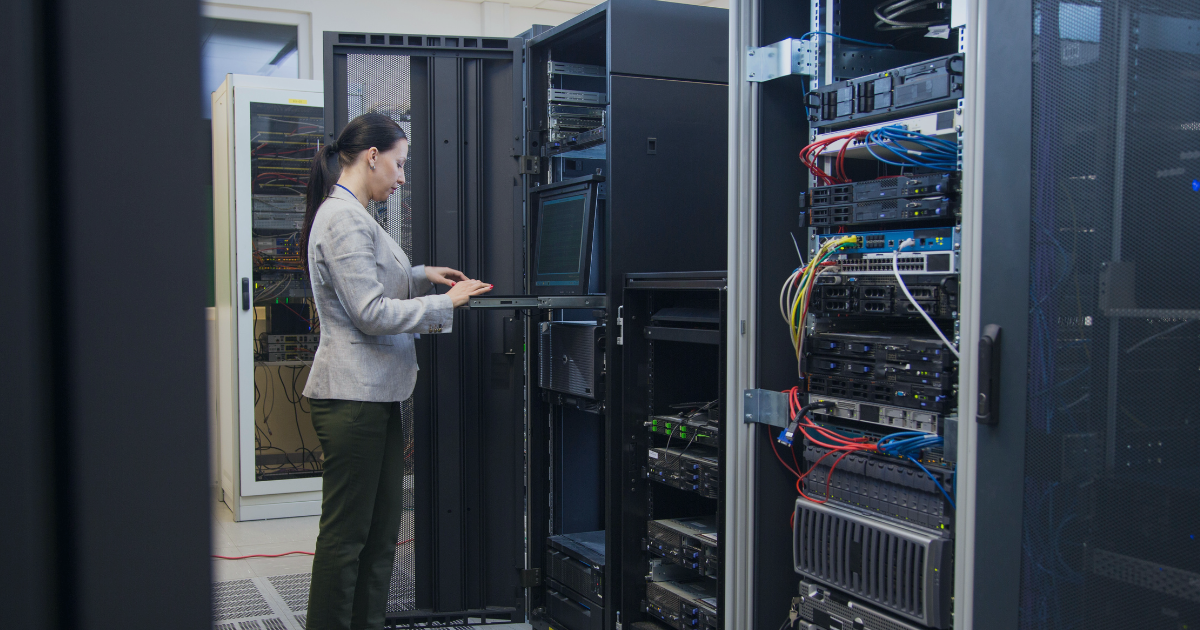
For data centre use cases, the same strengths apply. You can test power transfer logic with real protection devices, study cooling control strategies across changing loads, and collect performance metrics at the cadence your site requires. Open interfaces support co‑simulation with thermal and electrical tools, which lets you maintain the fidelity you need without vendor lock‑in. This approach shortens risk, tightens validation, and builds confidence that plans will hold up under stress. OPAL-RT delivers trusted performance, repeatability, and support that technical leaders value.
Common questions
Engineers and technical leaders often reach for clear, direct answers before committing time and budget. A short set of focused explanations can clarify scope, effort, and outcomes. The goal is to help you pick a path that fits your objectives, constraints, and timelines. These responses favour practical guidance that maps to everyday project decisions.
How do you create a data center simulation model?
Start by writing explicit objectives, accuracy targets, and reporting needs, then gather drawings, telemetry, and vendor data to support those goals. Build a modular digital model that separates power, cooling, controls, and workloads with clean interfaces. Calibrate against baseline measurements before adding complex scenarios, and document error metrics with each iteration. Run scenarios that reflect peak, failure, and seasonal conditions, then refine the model until it meets sign‑off criteria.
What are the steps for building a data center simulation?
A typical process includes defining objectives, constructing the digital plant, adding equipment data, calibrating to measurements, configuring scenarios, executing runs, and analysing results. Each stage should carry acceptance criteria that match the decision it supports. Use version control for models and inputs to keep results reproducible and auditable. Share summaries that link outcomes to objectives to speed reviews and approvals.
What is a data center simulation model?
It is a digital representation of a facility’s electrical, mechanical, controls, and workload behaviour. The model computes how power flows, how heat is removed, and how automation responds under changing conditions. Teams use it to study capacity, resilience, energy cost, and safety before making physical changes. When kept current, it becomes a long‑term planning and operations asset.
How accurate should the model be for HIL testing?
For Hardware-in-the-loop (HIL), accuracy requirements depend on the device under test, the control bandwidth, and safety margins. Transient power tests may require small time steps and validated impedance data for transformers and cables. Cooling control studies may accept longer steps but still need validated fan curves, valve characteristics, and coil performance. Define numeric tolerances up front and verify against measured data before connecting hardware.
Which inputs matter most for thermal and electrical fidelity?
The biggest gains usually come from realistic workload profiles, correct equipment curves, and credible control sequences. Rack‑level power data with temporal variation improves both thermal and electrical accuracy. Manufacturer performance maps for chillers, fans, and UPS units make calibration faster and more reliable. Clear control logic and setpoints tie it all together so scenarios reflect how your facility actually runs.
Clear answers shorten debate and speed progress. Teams that align expectations early avoid scope creep and late surprises. A shared understanding of goals, accuracy, and validation steps keeps projects on track. That alignment turns modelling time into measurable value for your facility.
Real-time solutions across every sector
Explore how OPAL-RT is transforming the world’s most advanced sectors.

Power Systems
10 / 24 / 2026
800 VDC power distribution for AI data centers
An explanation of how 800 VDC power distribution carries power from the grid to AI racks, covering conversion stages, DC fault protection and bus stability.

Automotive
10 / 21 / 2026
Megawatt charging system validation for heavy duty trucks
A practical look at how the megawatt charging system works, how it differs from CCS and how charger controls are tested before a truck site is energized.
Automotive
10 / 19 / 2026
Dynamometer testing and motor emulation compared for e-drive programs
A comparison of dynamometer testing and motor emulation for e-drive programs, covering what each method proves, what it costs and how teams sequence both.